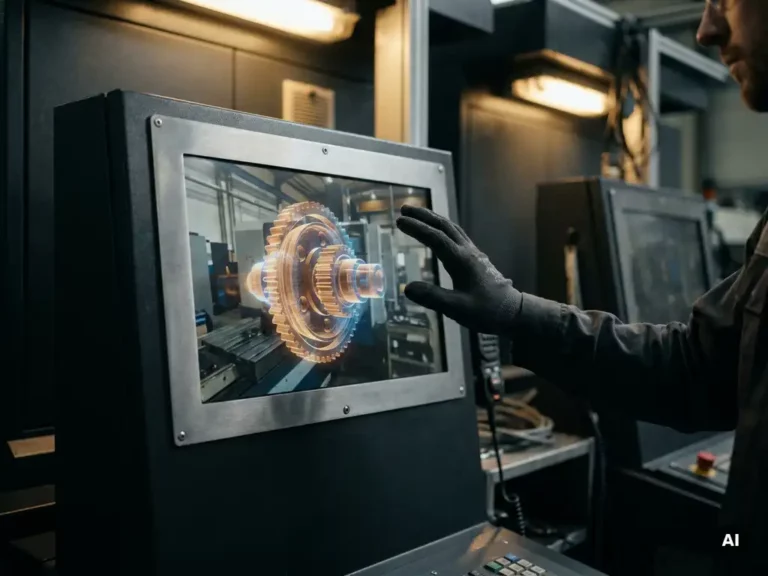
You integrate augmented reality into industrial UX by layering contextual digital information directly onto the physical environment, using hardware like smart glasses or tablets to guide operators, technicians, and engineers through complex tasks in real time. The key is designing AR interfaces that reduce cognitive load rather than add to it, which means grounding every design decision in how workers actually move, think, and communicate on the floor. The questions below unpack each stage of that process, from mapping user needs to deciding whether AR is even the right investment.
What makes AR interfaces different from traditional industrial UX?
AR interfaces in industrial environments are fundamentally different from screen-based UX because the user’s attention is split between the digital overlay and a live, often hazardous physical environment. Unlike a dashboard or touchscreen, AR UX must compete with machinery noise, variable lighting, physical movement, and safety demands, all at the same time. This changes almost every design principle.
In traditional industrial UX, a user sits or stands in front of a defined screen. In AR, the interface follows the user through space. That shift means designers must think about field of view, focal distance, glanceability, and spatial anchoring in ways that simply do not apply to flat-screen design. Text legibility rules change. Interaction models change. Even the definition of „error“ changes, because a misread overlay in an industrial setting can have real physical consequences.
The most important difference is context sensitivity. A well-designed AR interface surfaces only the information relevant to the exact object, machine state, or task step in front of the user, nothing more. Achieving that requires deep integration between the UX layer and backend systems like PLCs, ERP platforms, or sensor networks, making AR industrial UX as much a systems design challenge as a visual one.
What are the most common AR use cases in industrial environments?
The most common AR use cases in industrial environments are maintenance and repair guidance, assembly assistance, quality inspection, operator training, and remote expert support. Each of these use cases benefits from AR because they involve complex, step-by-step procedures where having both hands free and eyes on the task directly reduces errors and time.
- Maintenance and repair guidance: Technicians see annotated instructions overlaid on the actual machine component, reducing the need to consult paper manuals or switch between screens.
- Assembly assistance: Workers receive step-by-step visual cues directly on the parts they are handling, which is especially valuable for low-volume or highly customized production runs.
- Quality inspection: AR overlays highlight tolerance zones, measurement targets, or defect indicators directly on the physical part being inspected.
- Operator training: New staff can learn procedures in context, with guidance anchored to real equipment rather than simulated environments.
- Remote expert support: An off-site specialist sees exactly what the on-site technician sees and can annotate the live view in real time.
Across all of these, the underlying UX challenge is the same: deliver the right information at the right moment without disrupting the physical workflow. The design services that support these use cases must bridge hardware capabilities, software integration, and genuine field research.
How do you map user needs before designing an industrial AR experience?
You map user needs for industrial AR by conducting structured field observations, contextual interviews, and task analysis directly on the production floor or in the service environment where the AR system will be used. Generic persona work is not sufficient here. You need to understand the physical, cognitive, and social realities of the job before a single interface element is designed.
Field observation and contextual inquiry
Spend time watching workers perform the actual tasks the AR system is meant to support. Note where they pause, where they reference documentation, where errors occur, and where they ask colleagues for help. These friction points are your design targets. Contextual interviews conducted in the workspace, not a meeting room, reveal motivations and workarounds that users themselves may not think to mention in a formal session.
Task analysis and workflow mapping
Break each target task into its component steps and map the decisions, information needs, and physical actions involved at each stage. This task analysis becomes the structural foundation for your AR content architecture. It tells you what information needs to appear, in what sequence, and under what conditions, which is essential for designing an overlay that supports rather than interrupts the workflow.
What hardware constraints shape industrial AR UX design decisions?
Hardware constraints in industrial AR, including limited field of view, processing power, battery life, weight, and environmental durability, directly shape every UX design decision. Ignoring these constraints during the design phase leads to interfaces that look clean in a prototype but fail completely in the field.
Field of view is one of the most significant constraints. Most industrial AR headsets offer a narrower field of view than human peripheral vision, which means designers cannot assume that overlays placed at the edge of a screen will be seen. Content must be centered, prioritized, and spatially stable so it does not drift or flicker as the user moves their head.
Weight and wearability matter enormously in environments where headsets are worn for extended shifts. A device that causes neck fatigue after thirty minutes will be abandoned, regardless of how well the interface is designed. Battery life imposes session length limits that must be reflected in the UX flow. And in environments with dust, moisture, heat, or chemical exposure, the hardware must meet relevant IP ratings, which often constrains the choice of display technology and interaction modality. Voice control, for example, becomes unreliable in high-noise environments, pushing designers toward gesture or gaze-based interaction instead.
How do you test and validate AR UX in a real industrial setting?
You test and validate industrial AR UX through iterative field testing with actual users performing real tasks in the target environment, starting with low-fidelity simulations and progressing to live system trials. Lab testing alone is not sufficient because industrial environments introduce variables, lighting conditions, noise, physical movement, and safety protocols that cannot be fully replicated elsewhere.
Begin validation with paper or screen-based walkthroughs of the AR content flow to identify structural problems before committing to hardware-dependent prototypes. Once a working prototype exists, run structured usability sessions in the actual workspace with representative users. Measure task completion time, error rates, and cognitive load indicators alongside qualitative feedback. Pay close attention to moments where users ignore the overlay or work around it, as these behaviors signal misalignment between the design and the real workflow.
Iterative cycles are essential. Industrial AR UX rarely reaches an acceptable state after a single round of testing. Plan for at least two to three rounds of refinement between initial prototype and deployment, and involve frontline workers as active collaborators rather than passive test subjects. Their domain knowledge is irreplaceable.
When should industrial companies invest in AR UX versus simpler digital tools?
Industrial companies should invest in AR UX when the task involves complex, spatially grounded procedures where hands-free access to contextual information provides a measurable advantage over screen-based alternatives. If a simple checklist app or a well-designed touchscreen interface solves the problem, AR is likely unnecessary and adds cost and complexity without proportional benefit.
AR delivers clear value when:
- Tasks require both hands, making screen interaction impractical
- Procedures are complex, variable, or infrequent enough that workers cannot rely on memorization
- Spatial accuracy matters, such as identifying a specific component among dozens of similar ones
- Remote collaboration or expert guidance is a recurring need
- Error costs are high enough to justify the investment in a more sophisticated guidance system
Where tasks are repetitive, spatially simple, or performed at a fixed workstation, a well-designed HMI screen or tablet interface will often outperform AR in both usability and cost efficiency. The decision should always be driven by a clear-eyed assessment of the actual workflow, not enthusiasm for the technology itself. Investing in strategic UX design early in the process helps companies make that call with confidence.
How code2design helps with industrial AR UX integration
We approach industrial AR UX the same way we approach all complex design challenges: by starting with deep user insight and working outward to hardware, interface, and system integration. At code2design, our 360° design methodology means we do not treat AR as a feature to be added, but as a strategic tool that must earn its place in the user’s workflow.
Here is what we bring to an industrial AR UX project:
- Field-based user research: We conduct contextual observations and interviews directly in your production or service environment to map real task structures and friction points.
- Hardware-aware interface design: We design AR overlays that account for field of view, interaction modality, and environmental conditions specific to your setting.
- Iterative prototyping and validation: We test early and often, involving your frontline workers in each round to ensure the final system fits the way people actually work.
- Strategic fit assessment: We help you determine whether AR is the right investment for a given use case or whether a simpler digital tool would deliver better results at lower cost.
- Integration with your brand and product identity: With over 75 international design awards, we bring the same standard of design excellence to UX that we apply to physical product development.
If you are evaluating AR as part of a broader digital transformation or product innovation initiative, we are happy to talk through the specifics of your situation. Get in touch with us to start the conversation.